
1- Navigate to https://your-server-ip:2087 and go to Account Functions > Create a New Account
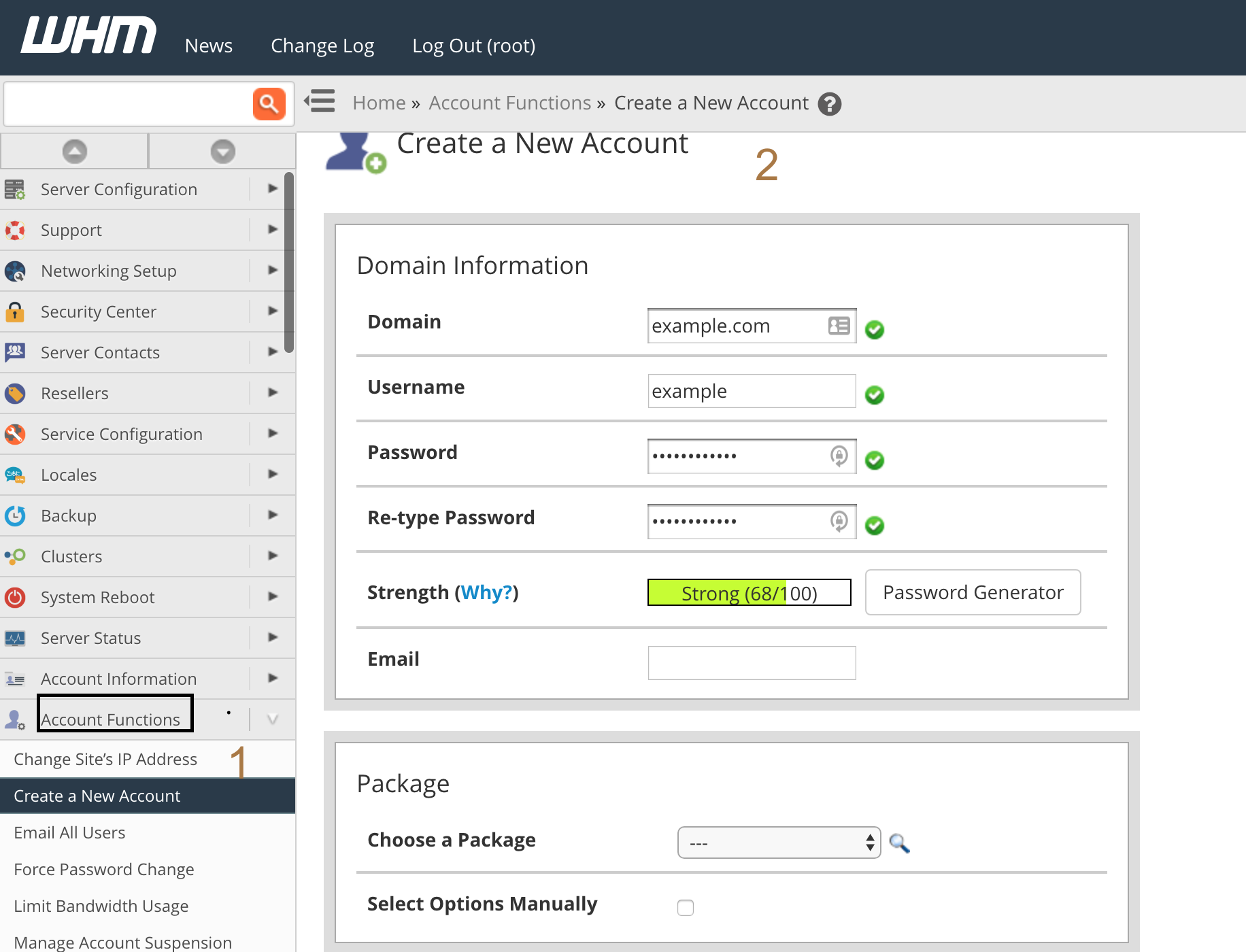
2- Enter the domain name , username, password and contact email address. Username must be unique.
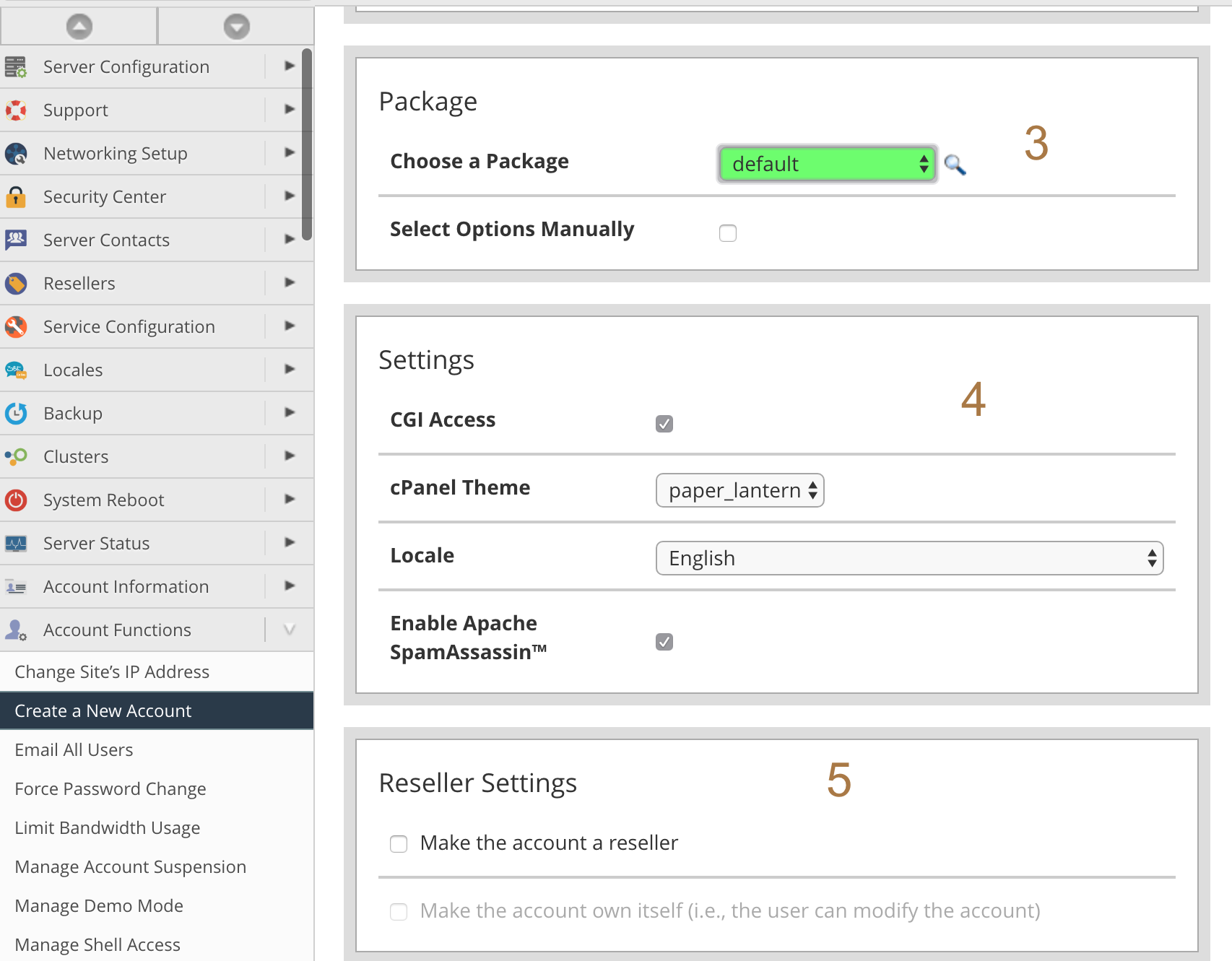
3- Choose a package and if set up manually options , select the checkbox
4- And configure the settings
5- Reseller access is only one step away from root access.
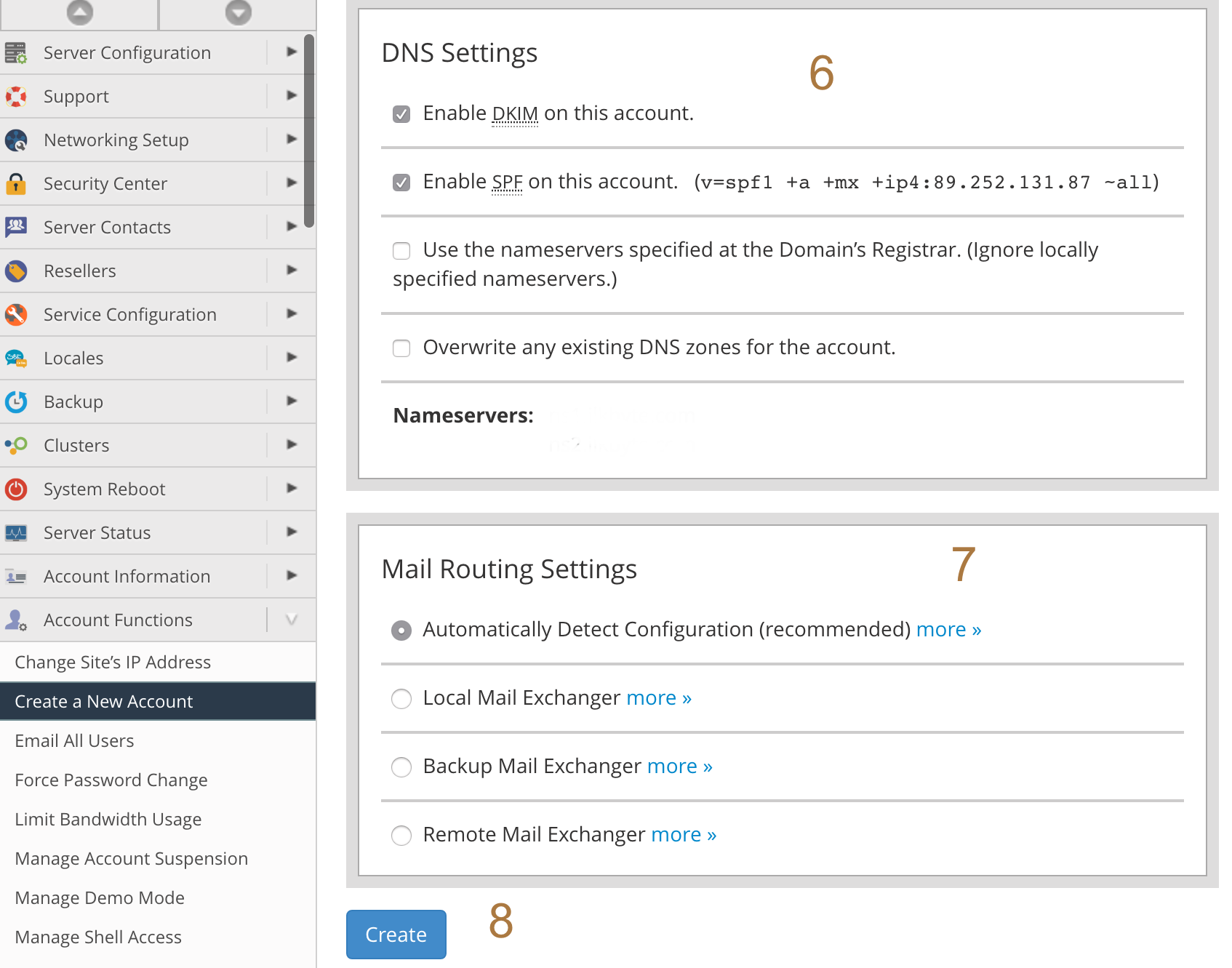
6- This section to enable the new account's DKIM and SPF records.
7- This section allow you how mail should be routed for the new account. Generally selected "Automatically Detect Configuration"
8- Click Create button and finish
Peace Out!
2- Enter the domain name , username, password and contact email address. Username must be unique.
3- Choose a package and if set up manually options , select the checkbox
4- And configure the settings
5- Reseller access is only one step away from root access.
6- This section to enable the new account's DKIM and SPF records.
7- This section allow you how mail should be routed for the new account. Generally selected "Automatically Detect Configuration"
8- Click Create button and finish
Peace Out!